
My thoughts about Microsoft Ignite November 2021

Updated: May 2, 2022
Another Microsoft Ignite has passed, and it’s time for me to share the news I found most thrilling! If the Ignite in March felt a little meh this Ignite had a lot of exciting news presented!
I didn’t have a lot of time attending sessions this time, but I enjoyed the keynote and also a table talk in AltspaceVR with friends like Adam, Karoliina and Vesku. Looking into the future I believe there will be one more virtual Ignite before we get the real deal. Hopefully not more.
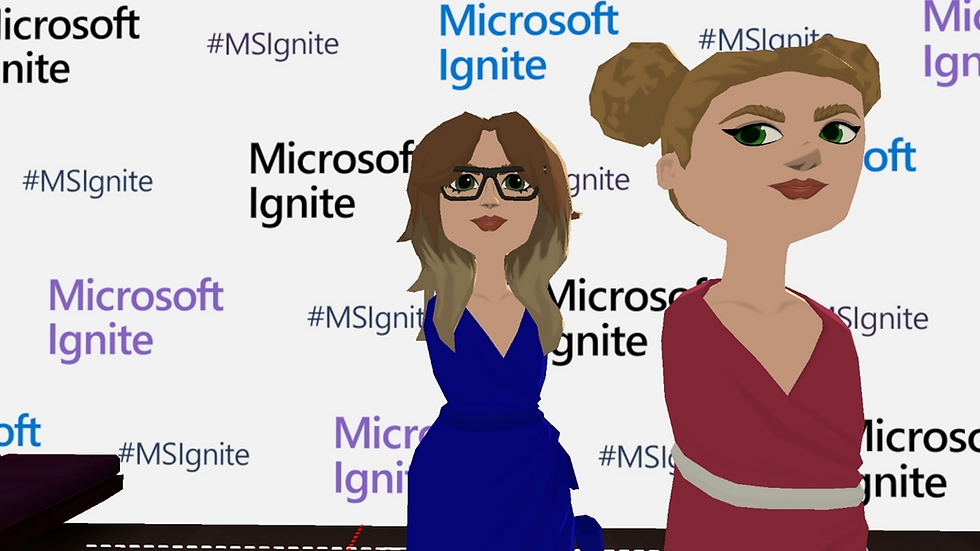
Let’s see some of the things I feel excited about, and as always you can find the full book of news here ✨ Microsoft Ignite November 2021 book of news.
All images in the blog post are borrowed from Microsoft besides the one above!
1. Join the Metaverse with Mesh for Microsoft Teams
It feels like this was the buzz of the event. During the keynote one of the segments was with Jason Warnke & Ellyn Shook from Accenture where Ellyn was an avatar. Say hello to Mesh for Microsoft Teams where you no longer need to show your real face in meetings, but you can be an avatar. And say hello to the Metaverse where you can play office from your home. Mesh was announced in March but here it's all about Mesh and Microsoft Teams. In the image bellow you can see the Mesh avatars in a meeting.

And here in the metaverse.

This feels like a large topic you could talk forever about, I’ll not do a deep dive, but I believe this short video explains the concept well.
Curious if this will be a big thing or not. Time will tell 🤓.
Link to more info Mesh and Mesh for Microsoft Teams. Will be available first half of 2022.
2. News for Microsoft Teams
Let’s dive into the news for Microsoft Teams. There was a lot of fun news announced this time, here are some of my favourites.
See the order of hands raised in meetings
A small thing but wow this is longed for. Gone are the days when we have to guess who raised their hand first. In the video I’ve borrowed from Microsoft you can also see other nice news for meetings such as the possibility to hide you own video and assigning meeting roles when you create the meeting 🙌🏻

Will be available early 2022.
New capabilities for webinars
There are several things coming for webinars.
A virtual green room where the organizers and presenters can talk before the meeting. It will also be possible to manage settings before the event starts. Will be available early 2022
The role co-organizer will be added, co-organizers will have the same capabilities as the organizer making it easier to manage webinars. Will be available by the end of the year
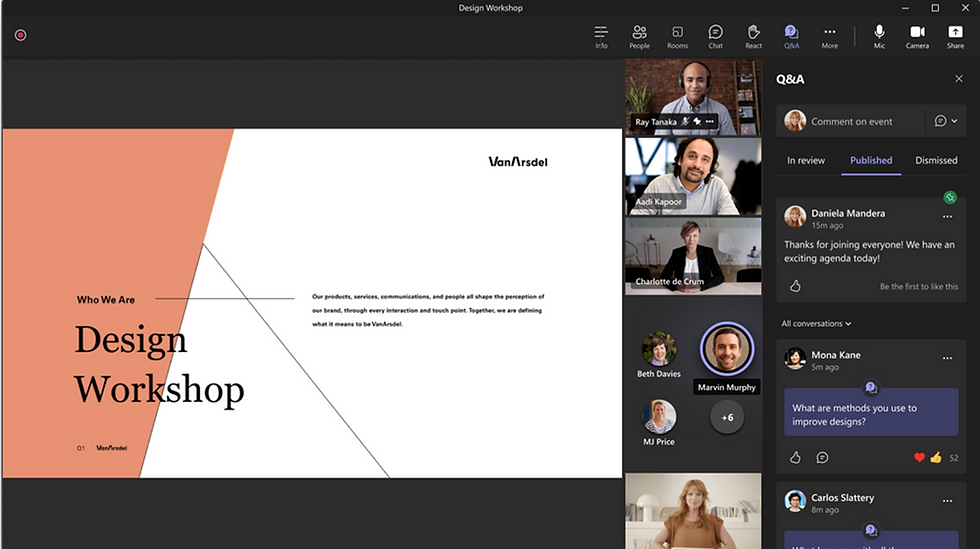
A new Q&A feature to make the questions and answered more structured than the chat, this has been announced previously but is available in preview now – read more here
Chatting with yourself and sexy emojis
Are you like me and enjoy chatting with yourself 😜, well lucky you because soon it will be possible in Microsoft Teams. Sending reminders, random notes, and what not.
Another thing that will be added is a whole bunch of new reaction emojis (over 800 actually), to really be able to express your true self. I’m more excited about the new design of the emojis, but I can’t lie it will be fun to react with new types of emojis.

Will be available between now and early 2022.
Create SharePoint pages directly in Microsoft Teams
It will become even easier to create SharePoint pages and news when it’s also possible to create them from Microsoft Teams, from earlier this year it has been possible to edit pages/news in Microsoft Teams but now we’re getting closer to the full SharePoint experience. More commands are coming to the canvas toolbar as well.
Link to roadmap item and more info. Will start to roll out January 2022.
3. Microsoft Loop
This is also one of those things that at least in my circle got a lot of buzz during Microsoft Ignite. Microsoft Loop is the next new thing in Microsoft 365 and Microsoft describes it as an app that combines a flexible canvas with portable components that moves and stays in sync across applications – think, plan and create together 🥰.

It will be exciting to see where this fits in the ecosystem! My head goes directly to when should we use what tools and how does permissions work – can it be connected to a team or is it just free flowing 🙄? Many questions to be answered and it will be fun to test this for real. Until then my MVP friend Vesku has written a great blog post on what to expect and how to use Microsoft Loop together with Microsoft Teams - read it here.

Read more here. Will be available H1 2022.
4. Meeting plans in Viva Insights
I’ll end this post with a tiny feature I believe will be value adding. The feature is meeting plans with Viva Insights. Users will be able to both create and share meetings plans, for example a meeting free day, encourage to book focus time and foster other meeting norms as keep meeting short and always add Microsoft Teams links. It’s a little bit unclear if this will be for managers only or for everyone – anyhow I like this. A topic I find interesting is meeting etiquette and norms and it looks like this could help!

Link to roadmap item and more info here. Will be general available in March 2022.
✨✨✨
Looking forward to testing all of this!


This post has great insights on Microsoft's new features! I was thinking about using an transcribe recording
Choosing a medical university abroad requires careful research into the curriculum, clinical training, living expenses, and recognition requirements. Students considering Kyrgyz State Medical Academy should compare these factors and understand the admission process before making a decision. It is also helpful to learn about the local environment, hospital exposure, and requirements for practising medicine in their home country after graduation.
https://rr88.select/ khiến tôi tập trung vào cách giao diện phản hồi khi người dùng chuyển đổi giữa các trang có nội dung khác nhau. Tôi lần lượt mở một vài danh mục, quan sát thời gian chờ và cách nội dung xuất hiện sau mỗi thao tác. Điều tôi muốn đánh giá là giao diện có giúp nhận biết quá trình chuyển trang hay khiến người dùng không rõ thao tác đã được tiếp nhận chưa. Tôi cũng chú ý liệu bố cục sau khi tải có giữ được sự ổn định hay xuất hiện thay đổi khiến việc đọc bị gián đoạn. Nếu phản hồi thiếu rõ ràng, người dùng có thể lặp lại thao tác không cần thiết. Với…
Photeditor I really enjoyed reading your take on this Ignite, especially the bit about the table talk in AltspaceVR with Adam, Karoliina and Vesku. It sounds like this event had way more energy than the one in March, and I'm hoping with you that the next one is back in person.
I appreciated your point about this Ignite feeling more substantial than the March one, especially with the mix of virtual format and future in-person hopes. One practical angle worth considering is how quickly session highlights get turned into shareable clips and visuals after the event. For that kind of repurposing, an optional tool like ShotAI could be useful, since it's an all-in-one AI video and image creation platform that can turn ideas into images and videos. It's not essential, but it might complement the way you already summarize Ignite takeaways for your readers.